
How to Write AI Video Prompts That Actually Look Real
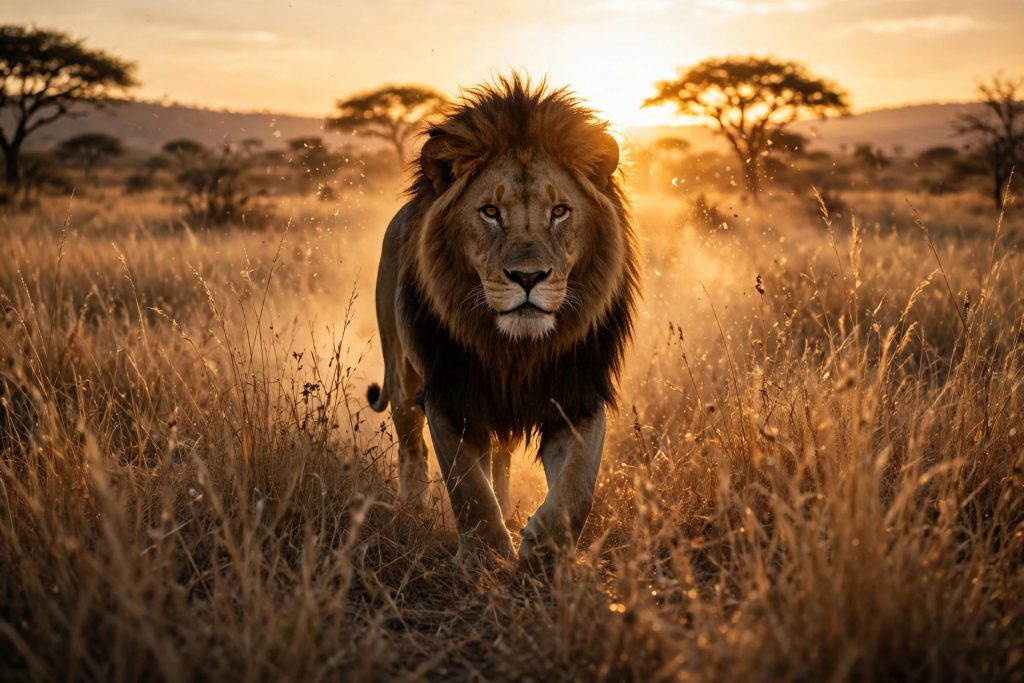
Most AI videos look fake for one simple reason: the prompt describes a picture, not a moving scene. You write “a lion in the savanna,” the generator gives you a beautiful still image that barely moves, and the result feels like a slideshow instead of a film.
Real-looking AI video comes from prompts that direct motion, camera, light, and detail the way a film director would. In this guide, you will learn the exact 5-part formula for writing AI video prompts, the camera language that sells realism, and the mistakes that instantly make a clip look artificial.
Table of Contents
- WHY MOST AI VIDEO PROMPTS FAIL
- THE 5-PART PROMPT FORMULA
- CAMERA LANGUAGE THAT SELLS REALISM
- MOTION: THE DIFFERENCE BETWEEN ALIVE AND SLIDESHOW
- LIGHT AND TEXTURE DETAILS
- COMMON MISTAKES THAT MAKE VIDEOS LOOK FAKE
- A WORKED EXAMPLE: WEAK PROMPT VS STRONG PROMPT
- FROM PROMPT TO FINISHED VIDEO
- FREQUENTLY ASKED QUESTIONS
- FINAL THOUGHTS
WHY MOST AI VIDEO PROMPTS FAIL
Before the formula, it helps to know what goes wrong. Almost every weak prompt fails in one of three ways.
First, it is too vague. “A dog playing” gives the generator nothing to work with. What kind of dog? Where? Doing what, exactly? Vague words produce generic, lifeless movement.
Second, it asks for too much at once. “A lion hunts a zebra while birds fly overhead, the sun sets, and rain begins” packs four scenes into ten seconds. The generator cannot stage all of it, so everything turns into a blurry compromise.
Third, it forgets the camera. Real footage always has a point of view: someone is holding the camera, standing somewhere, moving or still. A prompt with no camera direction produces footage with no perspective, and viewers feel it instantly even if they cannot explain why.
Fix these three problems and your videos will already look better than most of what floods social media today.
THE 5-PART PROMPT FORMULA
Every strong AI video prompt answers five questions, in this order: subject, action, camera, light, and style. Miss one, and the generator guesses. Guesswork is where fakeness creeps in.
1. Subject. Name exactly what is on screen, with one or two defining details. Not “a bird” but “a golden eagle with a scarred left wing.” Specificity anchors the whole clip.
2. Action. Describe one continuous motion, using strong verbs. “Perched” is a pose, not an action. “Swooping down toward the river, wings tucked, then flaring open” is an action the generator can animate frame by frame.
3. Camera. State the shot: close-up, wide shot, slow push-in, tracking shot, low angle. Add camera movement only when the scene needs it. A still camera suits a tense moment; a slow push-in suits a reveal.
4. Light. Light decides mood and realism more than almost anything else. “Golden hour sunlight from the left, long shadows across dry grass” beats “nice lighting” every time, because it gives the generator shadows, contrast, and color temperature to render.
5. Style. Finish with the look: photorealistic, cinematic, documentary-style, 9:16 vertical, 10 seconds. Style words at the end act as a final filter over everything above.
Here is the formula applied to one scene:
A golden eagle with a scarred left wing swoops down toward a mountain river, wings tucked, then flares open inches above the water. Slow tracking shot from the side, keeping pace with the bird. Golden hour sunlight from the left, long shadows across the rocks. Photorealistic, cinematic, 9:16 vertical, 10 seconds.
One subject, one action, one camera move, one lighting setup, one style. That discipline is the whole secret. Strong AI video prompts follow that discipline on every clip, not just the first one.
CAMERA LANGUAGE THAT SELLS REALISM
Viewers judge realism in the first two seconds, and the camera does most of that work. These five shots cover almost every scene you will ever need.
Close-up. Use it for emotion and detail: an animal’s eye, hands, texture. Close-ups hide the generator’s weaknesses because less of the scene is visible.
Wide shot. Use it to establish place: a savanna at dawn, a kitchen before the action starts. Wide shots need a clear subject, or the eye wanders.
Slow push-in. The camera moves gently toward the subject. This is the most cinematic move in AI video because it creates anticipation without demanding complex motion from the subject.
Tracking shot. The camera moves alongside a moving subject, keeping pace. Perfect for running animals, walking characters, and vehicles.
Low angle. Shooting from below makes a subject look powerful and large. A lion filmed from ground level feels ten times more dramatic than the same lion filmed from above.
Rule of thumb: one camera move per clip. Two moves in ten seconds usually turn into a shaky mess. Good AI video prompts give the tool one camera move to follow, rather than a list of competing moves.
MOTION: THE DIFFERENCE BETWEEN ALIVE AND SLIDESHOW
The second realism killer is dead motion. AI generators animate what you describe, so if you describe a pose, you get a pose with a slight wobble. Describe motion instead.
Use continuous verbs: running, pouring, unfolding, rising, circling. Avoid static words: standing, sitting, beautiful, amazing. Beauty is not a motion.
Add secondary motion. In real life, nothing moves alone. When a lion runs, grass bends, dust rises, its mane whips. When a door opens, light shifts across the floor. One line of secondary motion — “dust kicking up behind its paws” — can rescue an otherwise flat clip.
Finally, give the motion a beginning and an end. “The pup takes its first wobbly steps, stumbles, then steadies” reads as a tiny story. “A cute puppy” reads as a photo.
LIGHT AND TEXTURE DETAILS
If camera sells realism in two seconds, light and texture sell it in the next five. Two details matter most.
First, name the light source and direction. “Morning light through a window, soft shadows on the wooden table” gives the generator a world to render. “Good lighting” gives it nothing.
Second, add one imperfection. Perfect things look generated. A chipped mug, wet fur, cracked dry earth, a slightly wrinkled shirt — one flaw tells the viewer’s brain that this scene exists in the real world.
COMMON MISTAKES THAT MAKE VIDEOS LOOK FAKE
Too many actions. One clip, one action. If your prompt has “and then” more than once, cut it down.
Contradictory directions. “Fast slow-motion” or “bright dark room” confuses the generator. Pick one.
No duration or aspect ratio. Without “10 seconds” and “9:16 vertical,” you get whatever default the tool prefers, which is rarely what your platform needs.
Generic adjectives. “Beautiful,” “amazing,” and “stunning” carry no visual information. Replace them with concrete details: colors, materials, sizes, weather.
Copying someone else’s prompt word for word. Even a great prompt tuned for one tool and one idea rarely transfers cleanly. Understand the structure, then write your own version for your scene.
A WORKED EXAMPLE: WEAK PROMPT VS STRONG PROMPT
Weak prompt: “A beautiful lion in Africa, amazing video.”
Strong prompt: “A male lion with a dark mane walks slowly through tall dry grass toward the camera, head low, muscles shifting under its coat. Low-angle tracking shot, moving backward as the lion approaches. Golden hour light from behind, dust glowing in the air. Photorealistic, cinematic, 9:16 vertical, 10 seconds.”
Same animal, same continent. The second version directs every frame, and that is why it looks real. For a current example of what leading models can do, see Google DeepMind’s Veo overview.
FROM PROMPT TO FINISHED VIDEO
Writing the prompt is half the job. The other half is a short workflow.
First, generate two or three variations of the same prompt and pick the best take. Generators are random; even a perfect prompt produces a weak take sometimes.
Second, watch the first two seconds critically. If the opening feels wrong, no ending will save it. Fix the opening, not the ending.
Third, keep your winning prompts. Build a small personal library of formulas that worked, grouped by niche: wildlife, cooking, cinematic, comedy. Over time, this library becomes your biggest speed advantage. Organising them by subject, camera and light makes your best AI video prompts easy to reuse.
If you want ready-made starting points, explore the free prompts on PromptVilla — each one is structured with the same formula from this guide, so you can see the principles working in real examples.
FREQUENTLY ASKED QUESTIONS
How long should an AI video prompt be?
Two to four sentences is the sweet spot. One sentence is usually too vague; a full paragraph usually contains contradictions. Aim for 40 to 80 words.
Do longer prompts always produce better videos?
No. Longer prompts help only when every added word adds a visual detail. Extra adjectives without visual meaning dilute the prompt and confuse the generator.
Which aspect ratio should I use?
Use 9:16 vertical for Reels, Shorts, and TikTok, and 16:9 horizontal for YouTube and television-style content. State it in every prompt.
Why does my video look different from what I described?
Usually one of three causes: the prompt asked for too many actions, it contained a contradiction, or the tool interpreted a vague word differently than you meant. Simplify the prompt and regenerate.
FINAL THOUGHTS
Realistic AI video is not about secret words or magic tools. It is about directing: one clear subject, one continuous action, one camera move, named light, and a concrete style. Write prompts that way, and your clips will stand out in feeds full of slideshows.
Start with the formula on your next video, and when you are ready for more ideas, create a free account on PromptVilla and browse the free prompt library. That habit will steadily improve your AI video prompts.